Now on the Mac App Store

For solo & small-firm lawyers · macOS

The billable hours you already worked, and forgot to bill.

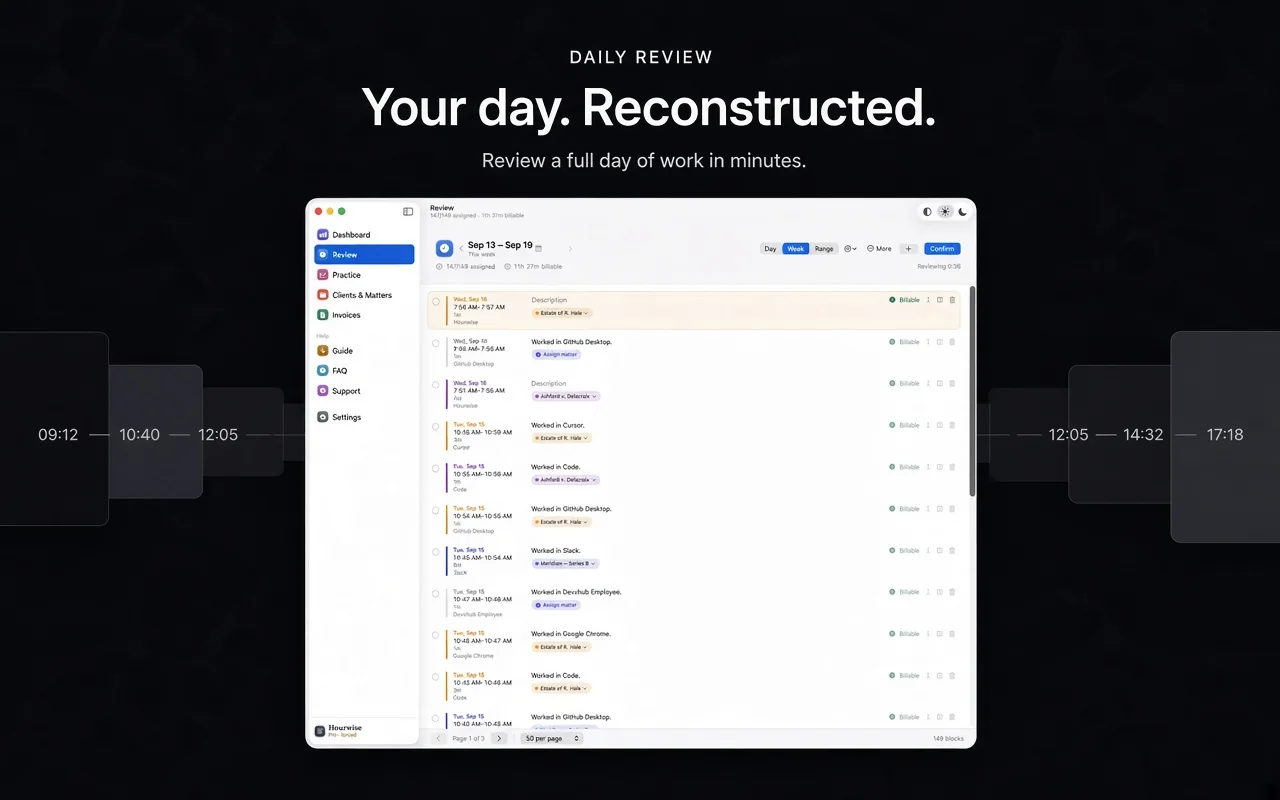
Hourwise sits in your menu bar and keeps the record for you. No timer to start, none to forget. Review a full day in about a minute, then send the invoice.

Free forever for tracking and daily review. macOS 15 or later.

No account No server Nothing leaves your Mac
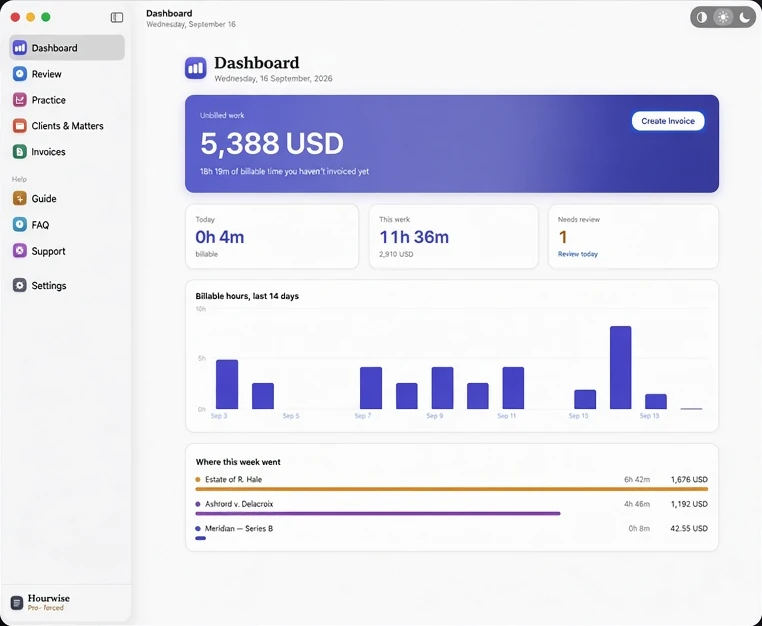
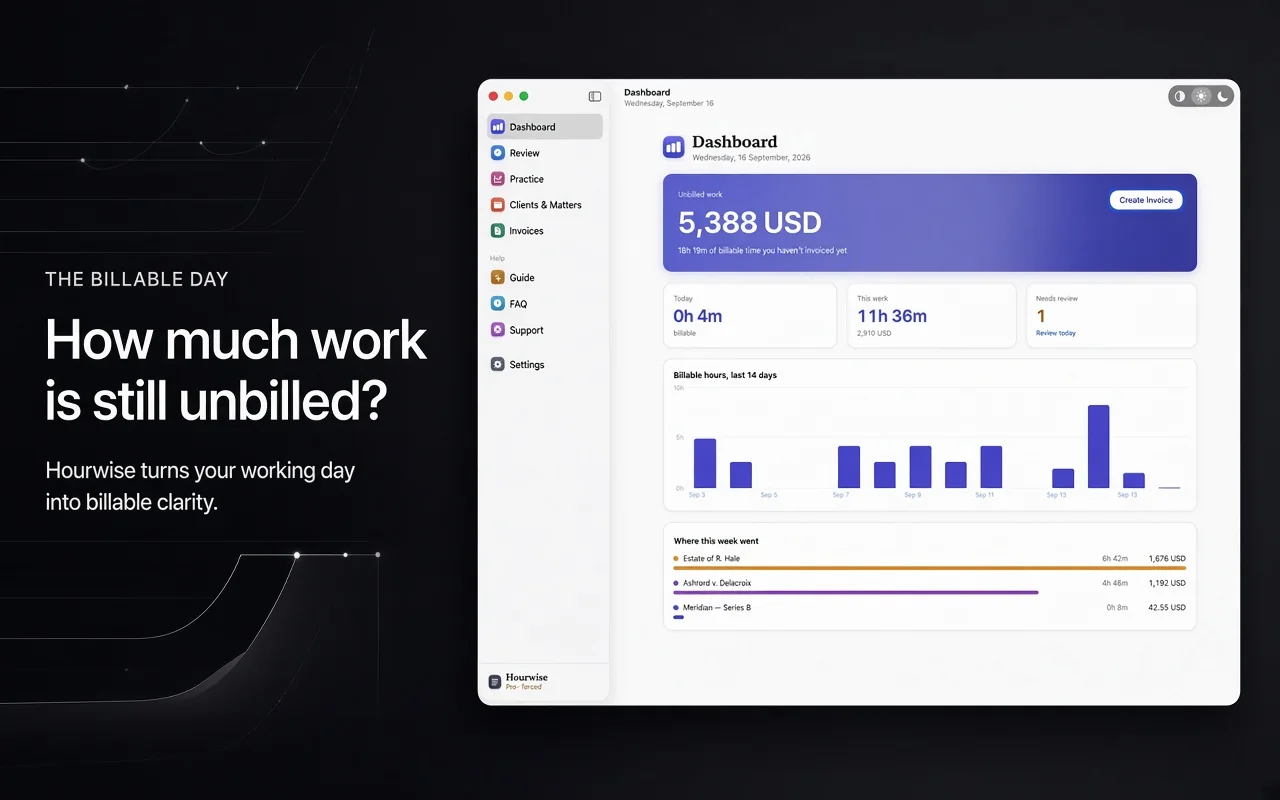
The Hourwise dashboard: 5,388 USD of unbilled work, today's billable time, this week's hours, and a chart of billable hours over the last 14 days.

See it work

From a tracked day to a sent invoice, in 75 seconds.

A screen recording of the real app, using demo data.

Why this exists

A solo practice loses more money to forgetting than to anything else.

These are the published averages across US law firms. Nobody sets out to work a ten-hour day and bill two of it — it happens because at six o'clock nobody can remember what happened at eleven.

2.1
Billable hours a day
What the average solo records. Firms of twenty or more manage 3.6.
88%
Realization
The share of billable time that actually reaches an invoice.
93%
Collection
The share of invoiced work that gets paid. The rest is written off.

How it works

Work normally. Review once. Send the bill.

1

It keeps the record

Hourwise notes which application you were working in and for how long, and builds your day into blocks. There is nothing to start and nothing to stop.

2

You say whose it was

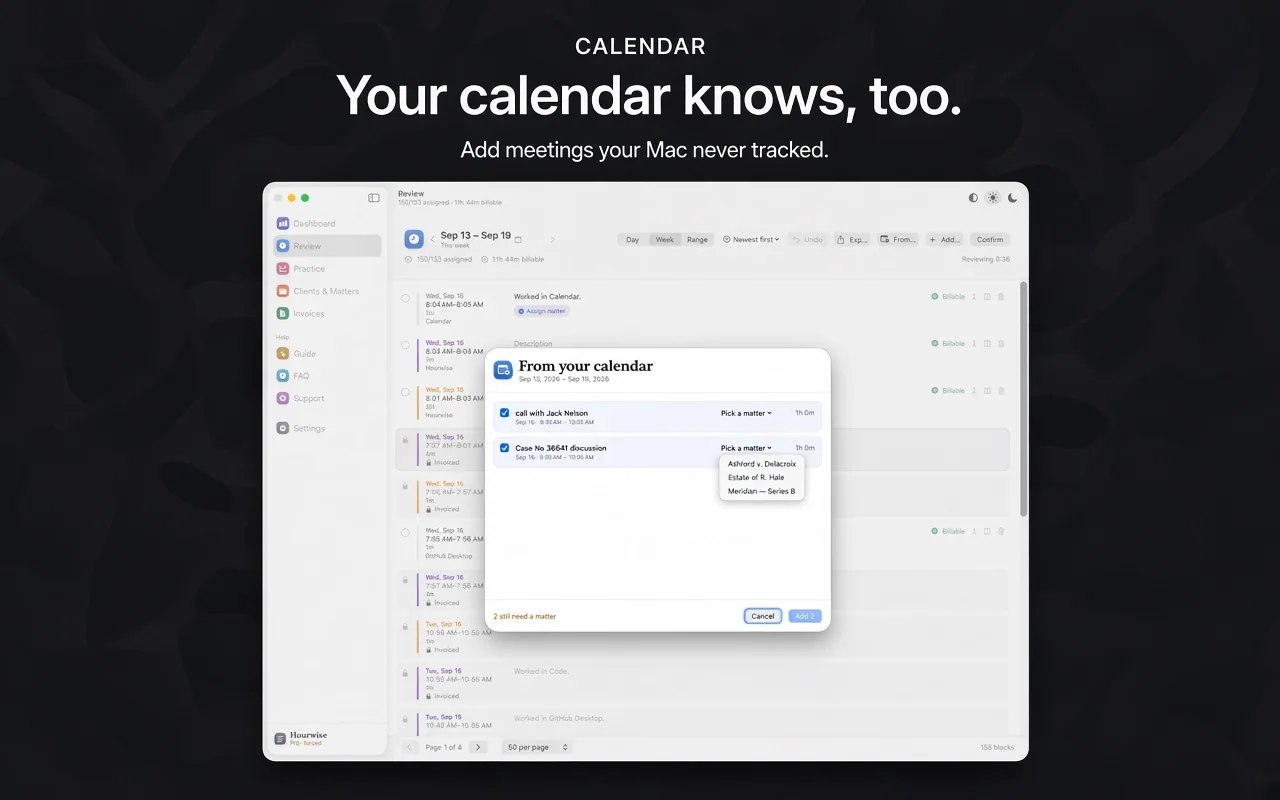
Assign each block to a matter. Rules you set and a model trained on your own corrections fill more of it in every week, and your calendar covers the hours the Mac was never open for.

3

It writes the invoice

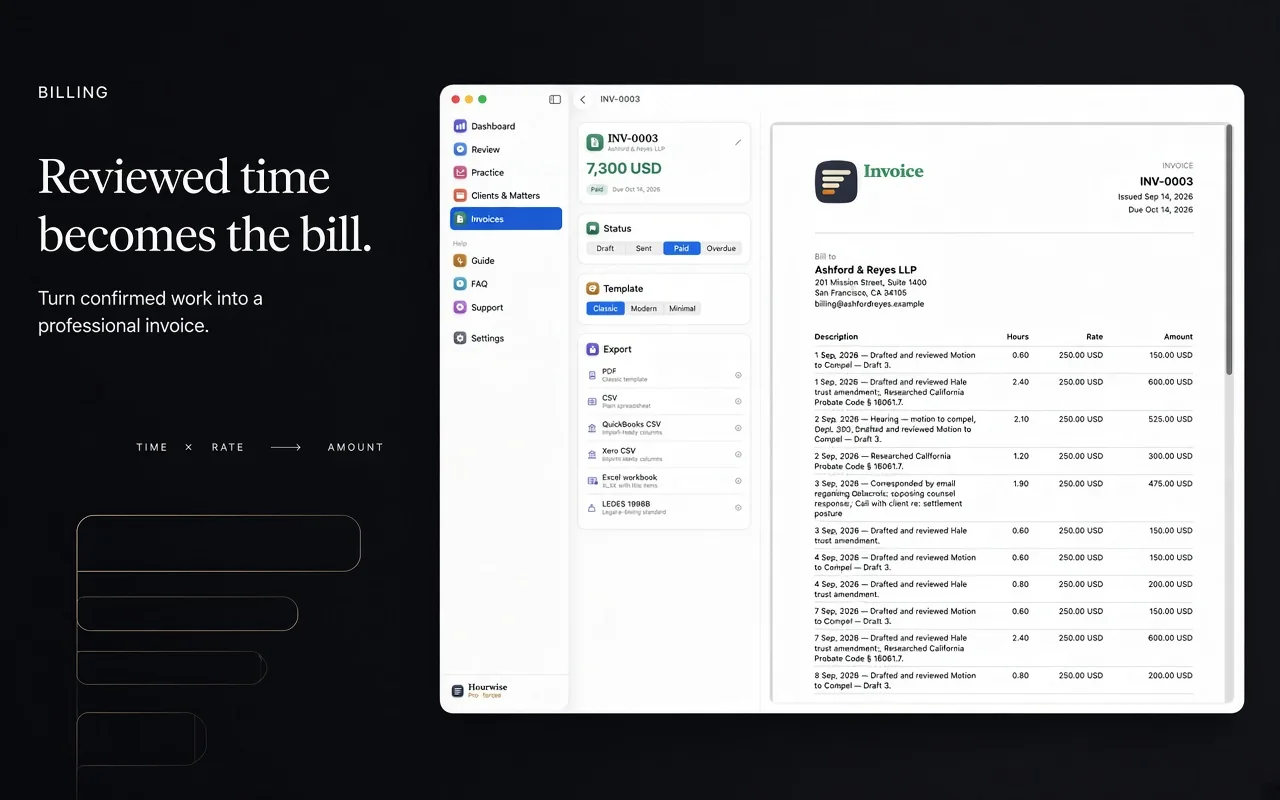
Pick a client and a date range. Rates resolve from the matter, then the client default. Increments round to your client's rule — six minutes, fifteen, or none.

A closer look

Every screen, from the first block to the paid invoice.

What you get

Built for how a practice actually bills.

Catches the time you spend away from the Mac

Back from a call, a hearing or a meeting, Hourwise asks what the gap was. One click bills it. This is the time most trackers throw away entirely.

Bills the hours your Mac never saw

Court, a client meeting, a site visit. Hourwise reads your calendar, finds the events nothing was tracked against, and turns the ones you pick into billable time.

Shows you what never reached a bill

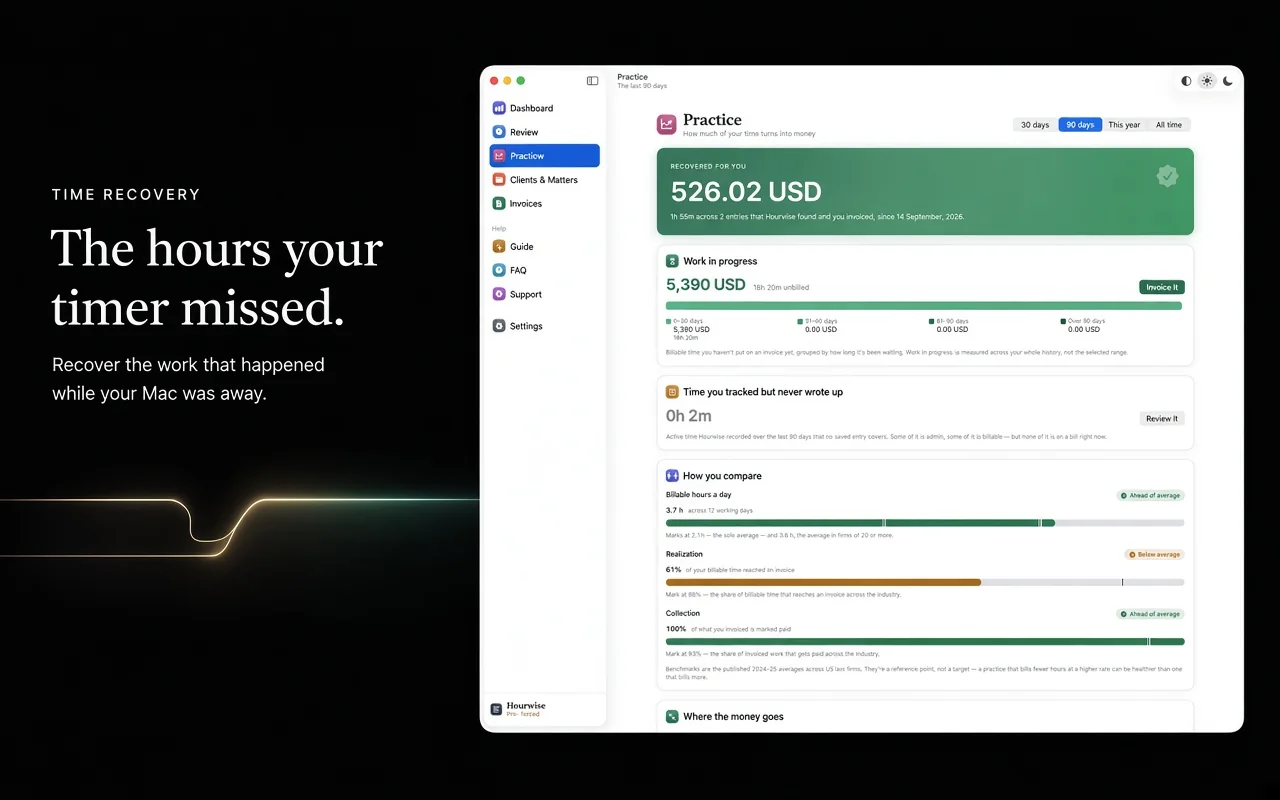
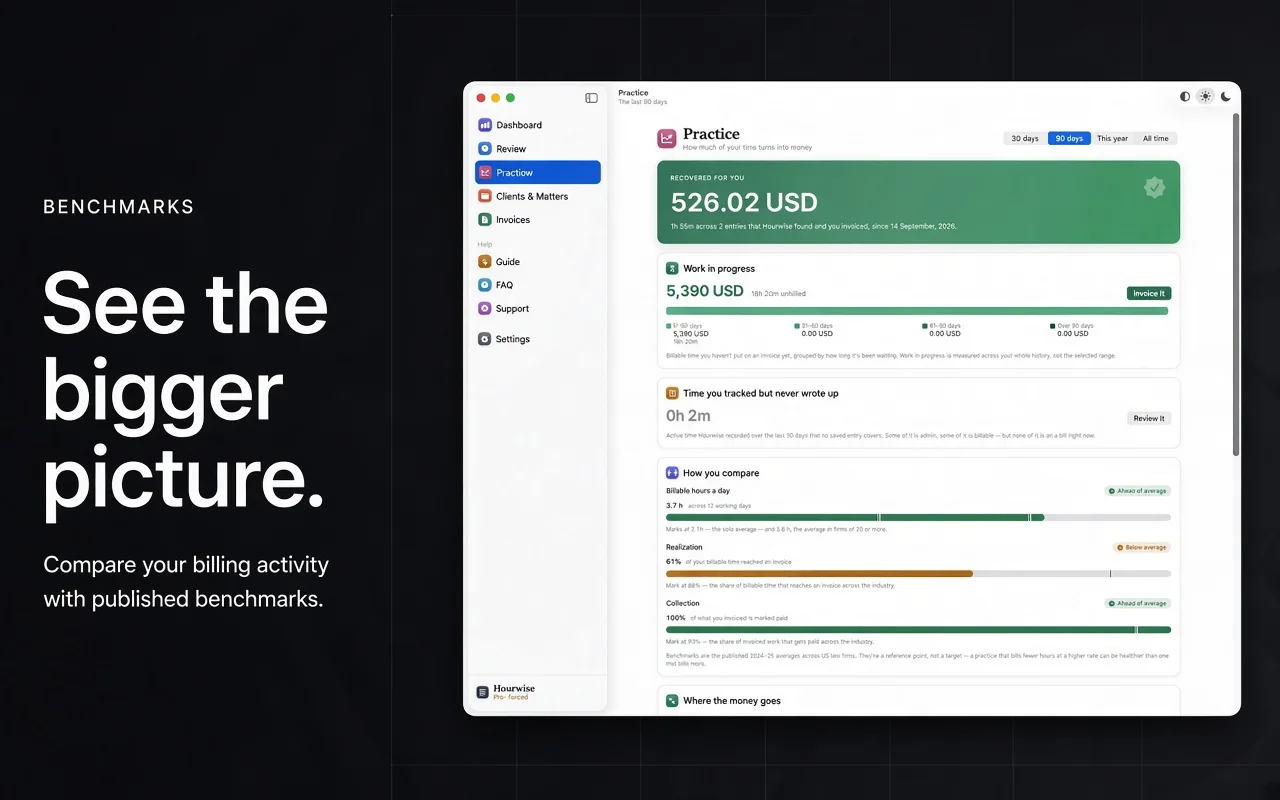
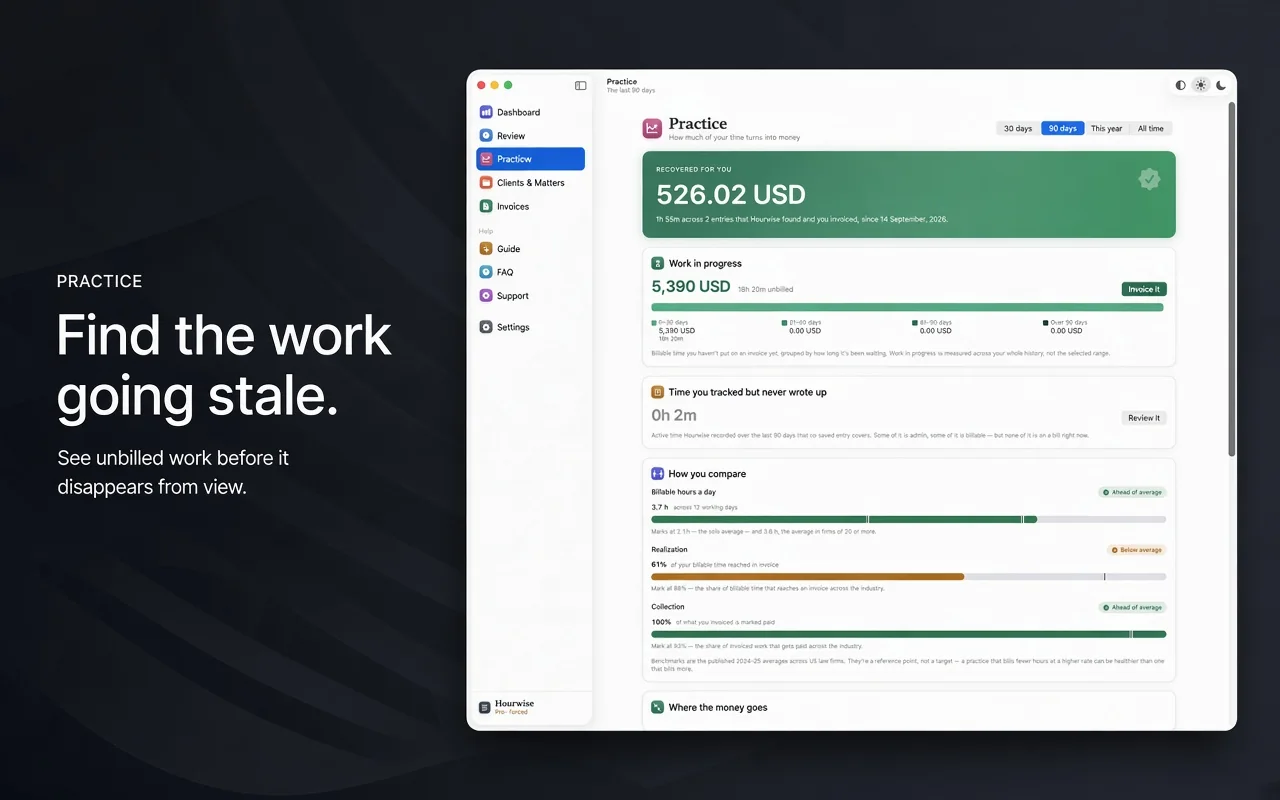
Tracked, billable, invoiced, paid — and the drop at every stage. Your billable hours a day, realization and collection, against the published averages.

Chases what you're owed

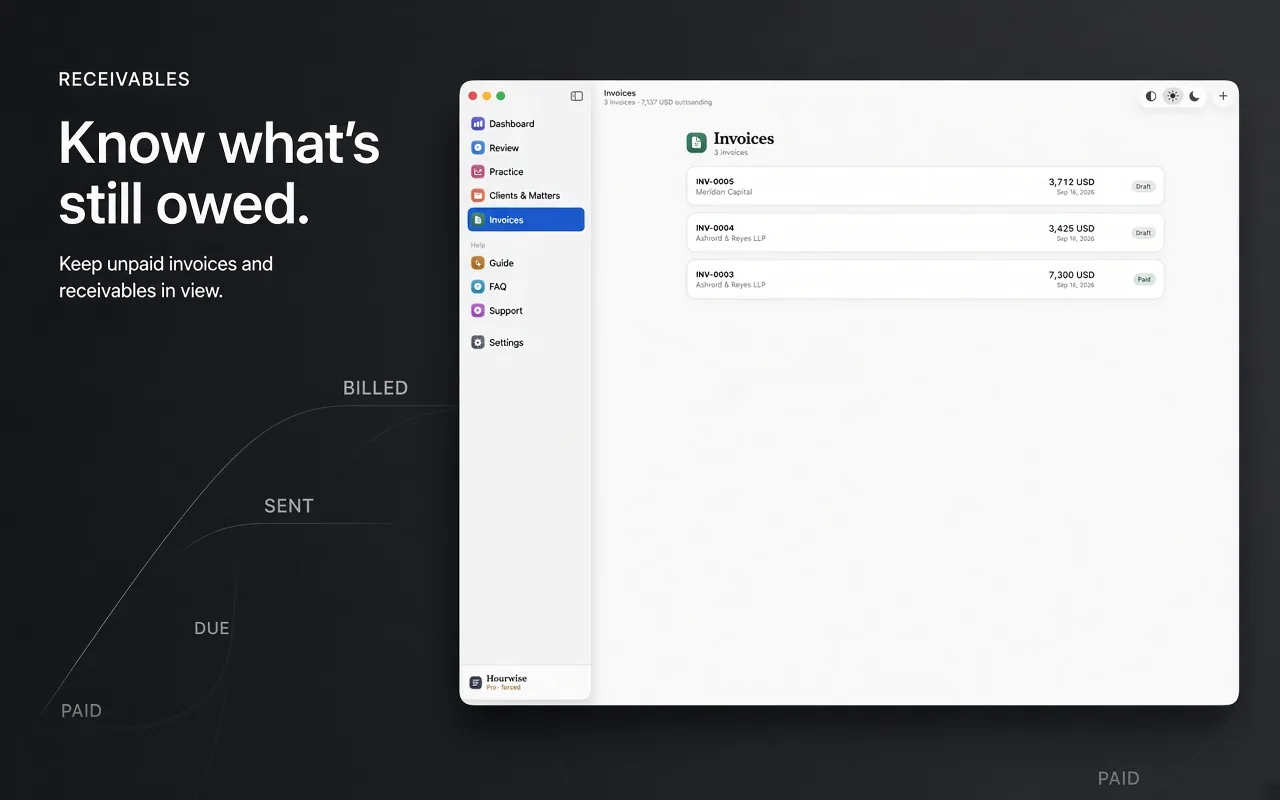
Sent invoices aged by how far past due they are, and an overdue one drafts the reminder in your own mail app, in your own words.

Exports the way your client bills

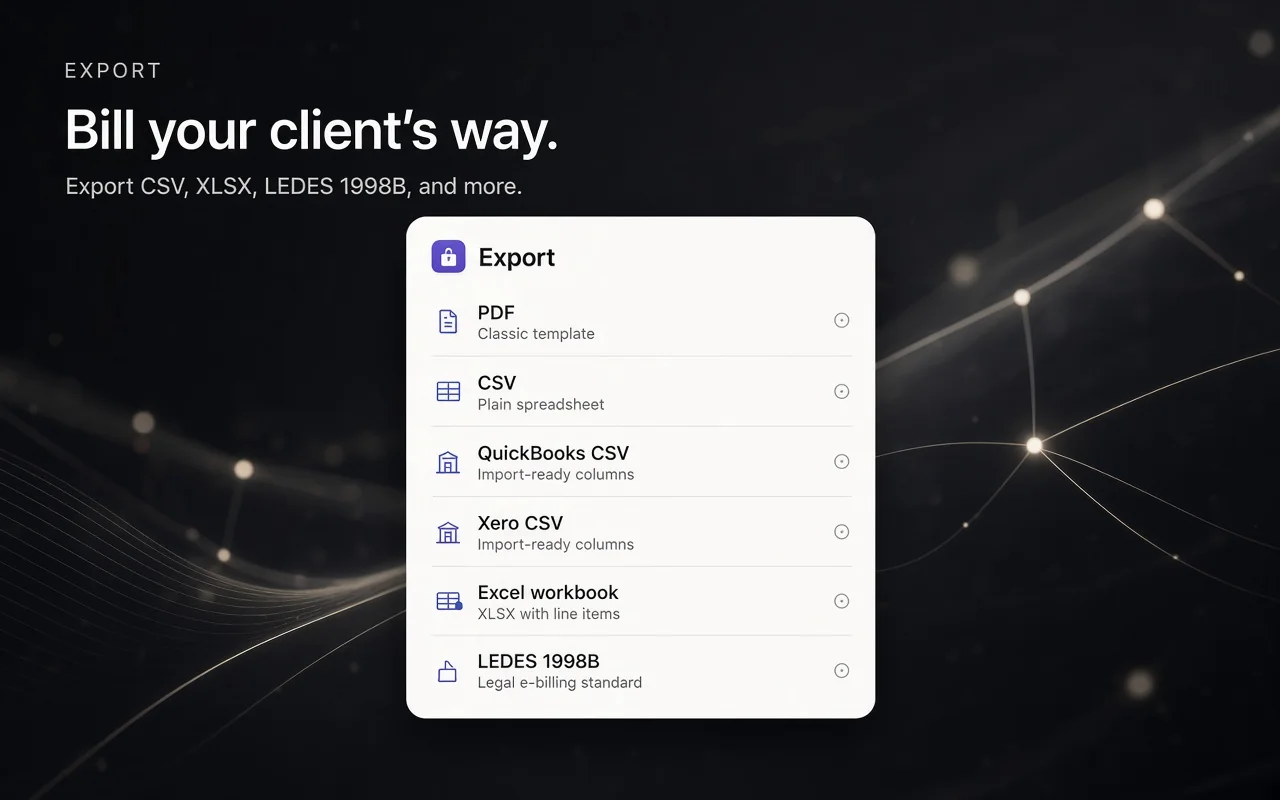
PDF, CSV, QuickBooks, Xero, Excel, and LEDES 1998B for e-billing vendors. Invoices lay out for A4 or US Letter and carry your firm's details.

Gets you paid faster

Add your own payment page — Stripe, PayPal, LawPay, your bank — and it prints on every invoice as a link and a QR code.

Privacy

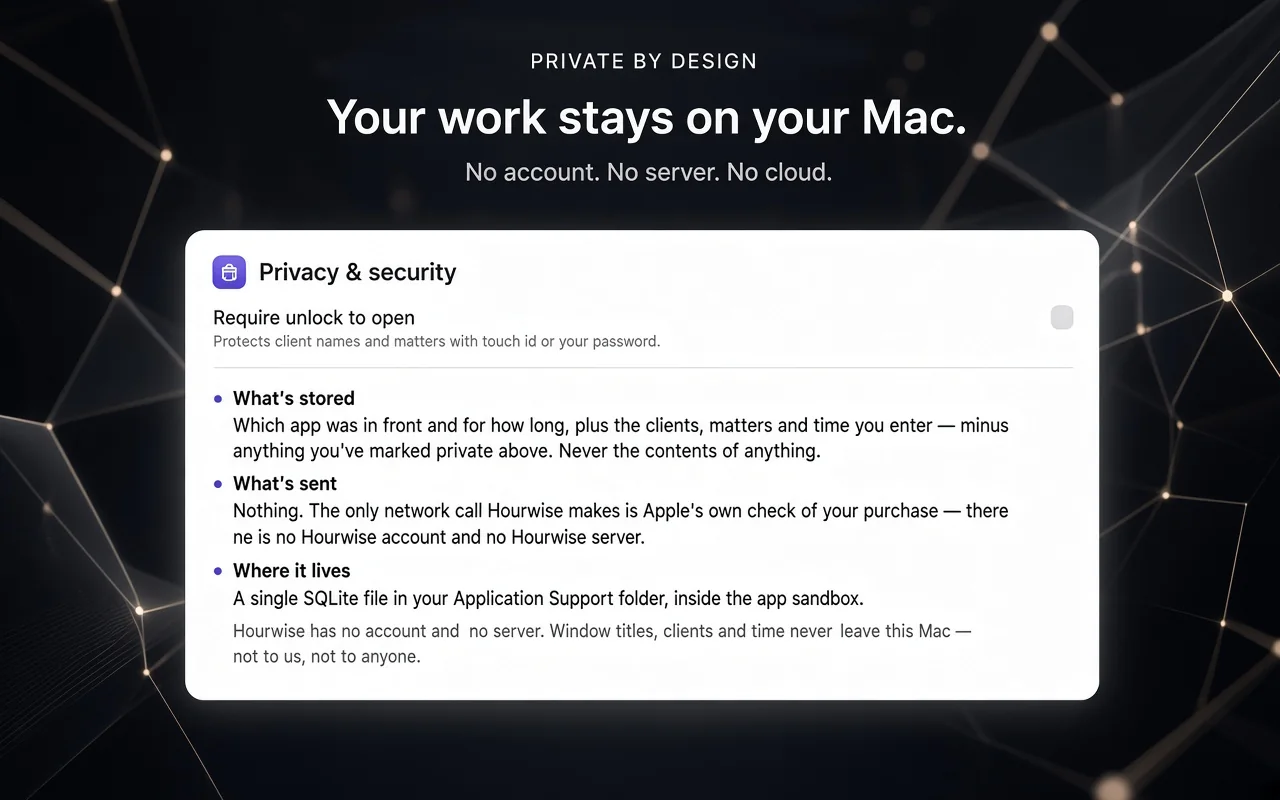
Client confidence is the whole job. So nothing leaves your Mac.

Hourwise has no account and no server, because there is nowhere for your data to go. Everything lives in a single file on your machine.

Pricing

Free to track. Paid to bill.

Practice-management suites that do this start around $49 a month per user, and want your case files in their cloud to do it.

$/ hour
minutes
Unbilled over a working year
$12,000
Pro yearly pays for itself after 50 minutes of recovered time a year.

Your numbers, not ours: a working year here is 48 weeks of 5 days. Hourwise can't promise what you'll recover. It just keeps the record so less of it slips.

Free — forever
$0
No card, no trial clock, no watermark.
  • Automatic tracking
  • Daily review, with seven days of history
  • Clients, matters and rates
  • Time away from the Mac, captured
Lifetime
$599 once
Pay once, no subscription. Every Pro feature, for good.
  • Everything in Pro
  • No renewals to track or budget for
  • Less than two and a half years of Pro yearly

Prices in US dollars; the App Store shows your local price. You buy inside the app, through your Apple account. Subscriptions renew automatically, and you cancel in your Mac's App Store settings, not with us.

Questions

The ones worth asking first.

Can it read my documents or emails?

No. It records which application was in front and for how long. It cannot open, read or index the contents of anything — not a document, not an email, not a message. It takes no screenshots and does not read your keystrokes or your clipboard.

Why does a block say "Worked in Microsoft Word" rather than the file name?

Because that is what an app distributed through the Mac App Store is permitted to see. Reading another app's window title needs Accessibility access, which Apple's sandbox rules do not allow. So Hourwise records the app and the time honestly rather than guessing, and your rules, your corrections and your calendar do the rest.

Do I have to start and stop a timer?

No, and that is the point. Hourwise runs in the menu bar and keeps the record while you work. There is nothing to start, so there is nothing to forget.

What happens to my data if I stop paying?

Nothing. Everything you have recorded stays on your Mac and stays readable, and tracking and review keep working. What you lose is the Pro half — generating new invoices, exporting, and looking further back than seven days. Invoices you already made are yours regardless.

How do I cancel?

In your Mac's App Store settings, under your subscriptions. Apple handles billing, so there is no account with us to close and nobody to call. Cancel any time and Pro stays on until the end of the period you've paid for.

I already subscribe. What if I buy Lifetime?

You get Pro for good, but the App Store can't cancel your subscription for you. Cancel it yourself in your App Store settings, or you'll be charged for both. The app warns you about this before you buy.

Can I get my data out?

Yes, always. One button writes every time entry you have ever recorded to a CSV, and another backs up the whole database to a single file you can keep anywhere.
Shekh Ehsanur Rahman

Who makes it

Built and supported by one engineer, not a sales team.

I'm Shekh Ehsanur Rahman, a software engineer with eleven years of building apps, fifty of them shipped. Most of that work is software that keeps working without a network and keeps data on the device. Hourwise applies the same idea to billing, because time records are client information too.

There's no support queue. Email me and you get me.

Stop reconstructing your day at six o'clock.

Free to track and review, forever. Start today and your first full day is already recorded.

Requires macOS 15 or later.